How to Connect Telegram for Crypffalo Whale Alerts (1 Minute)
Author: Crypffalo Research · 20:00 04/10/2026
Connect the Crypffalo News Telegram bot to get private messages when wallets you track trade or your coins see large whale trades or liquidations. No Premium needed.

No need to keep the website open: connect the Crypffalo News bot on Telegram and it will message you privately when a whale wallet you track opens a position or when a coin you choose sees a big move. It takes about 1 minute and you only do it once. Telegram Premium is not required.
What You Need
- The Telegram app on your phone or computer (the regular, free version).
- A Crypffalo Gold account (Telegram alerts are for members only). If you don't have one yet, sign up for a free 7-day trial; you get full alerts during the 7-day trial.
Step 1: Click Connect Telegram on the Website
Log in to Crypffalo, click your name in the top corner and choose 🔔 Telegram Alerts.
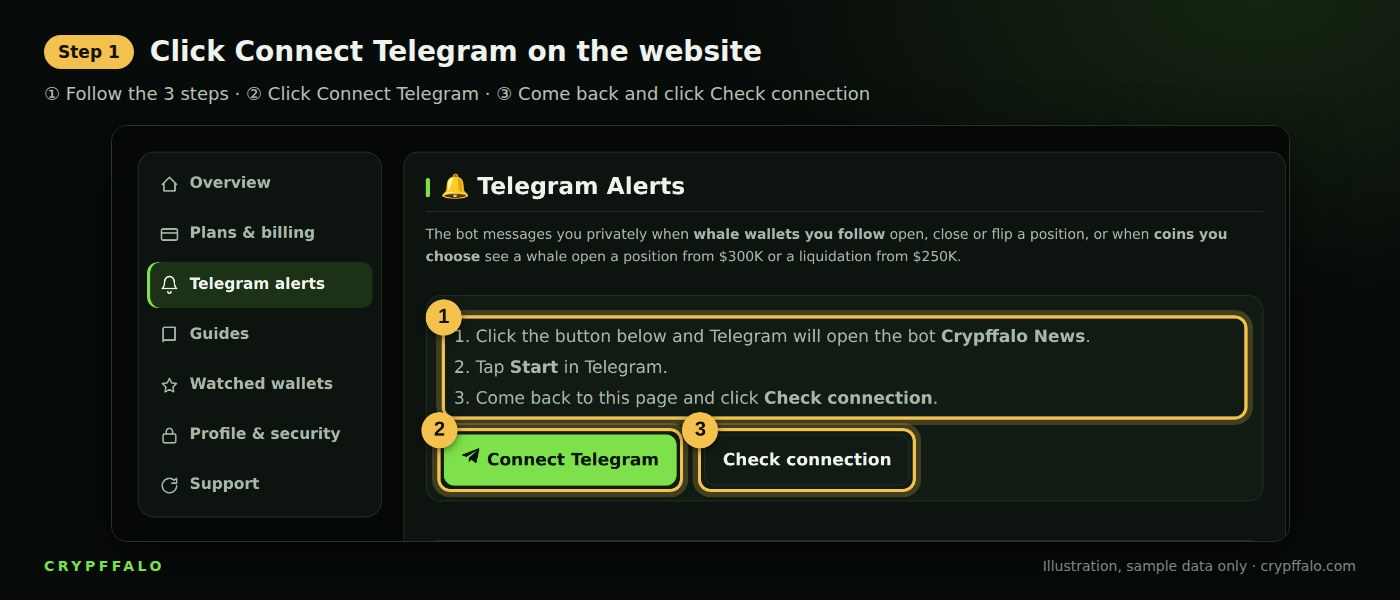
- ① Read the short 3-step instructions.
- ② Click Connect Telegram. Telegram will automatically open a chat with the Crypffalo News bot.
- ③ After clicking Start in step 2, come back here and click Check connection.
Step 2: Tap START in Telegram
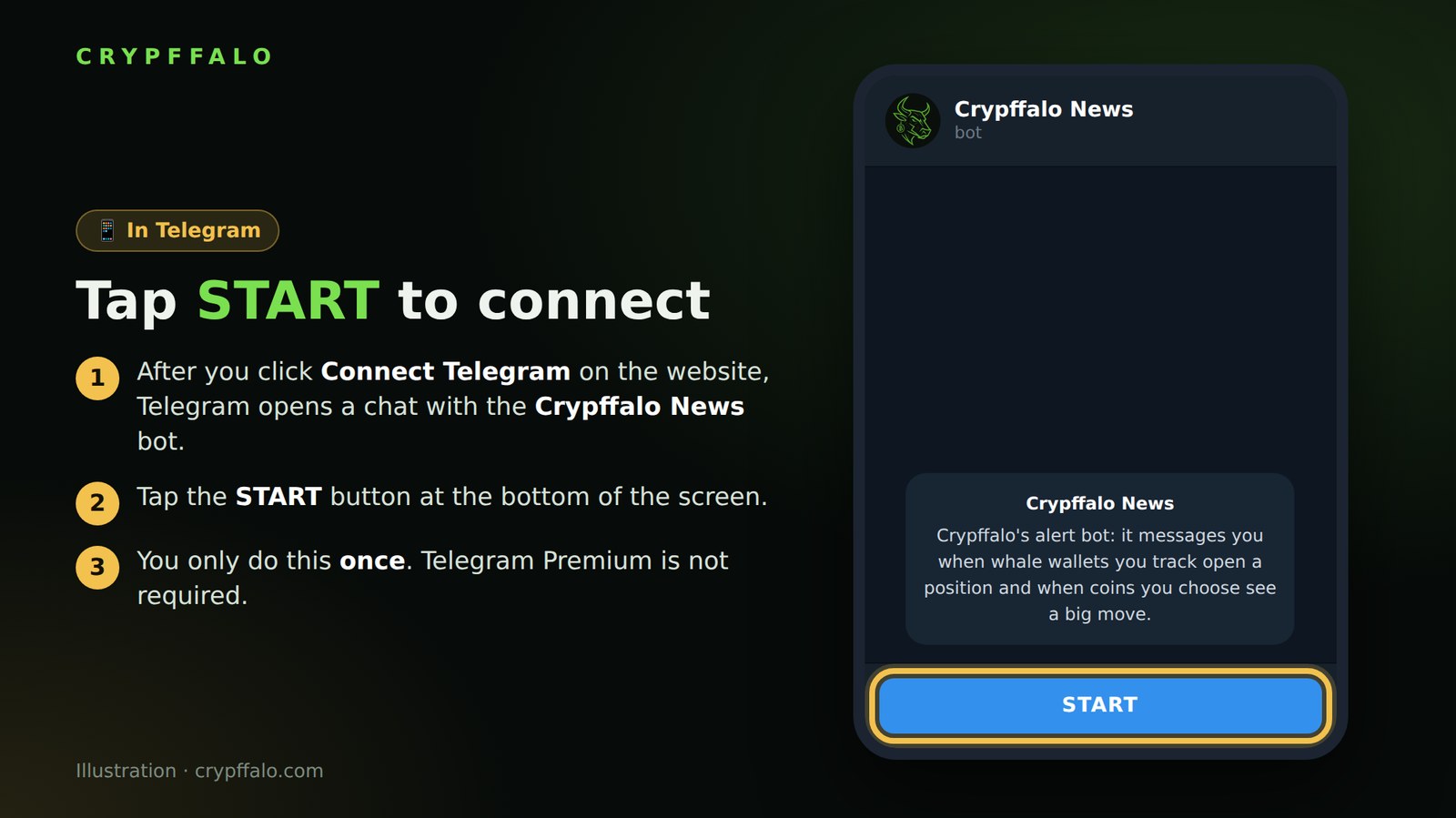
Telegram opens a chat with the Crypffalo News bot. Tap the START button at the bottom of the screen. If Telegram does not open automatically, install Telegram and click the Connect button on the website again.
Each click on Connect creates a unique code valid for 30 minutes. If it expires, just click Connect again.
Step 3: The Bot Sends a Confirmation and You're Done
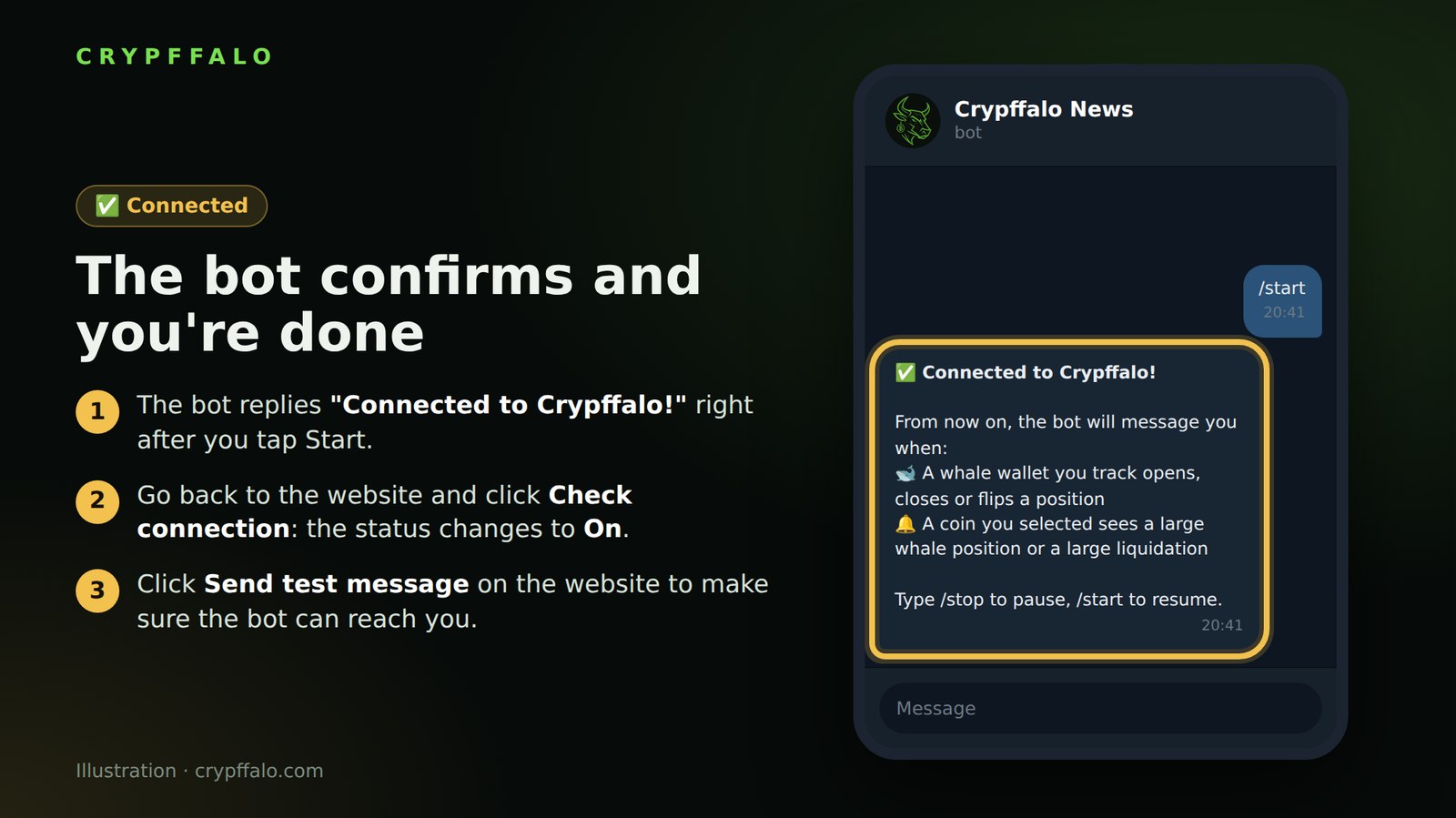
- The bot replies "✅ Connected to Crypffalo!".
- Go back to the website and click Check connection: the status changes to On.
- Click Send test message to make sure the bot can reach you.
Next, choose the wallets and coins you want alerts for by following the guide to choosing coins and wallets to track.
What Will the Bot Send You?
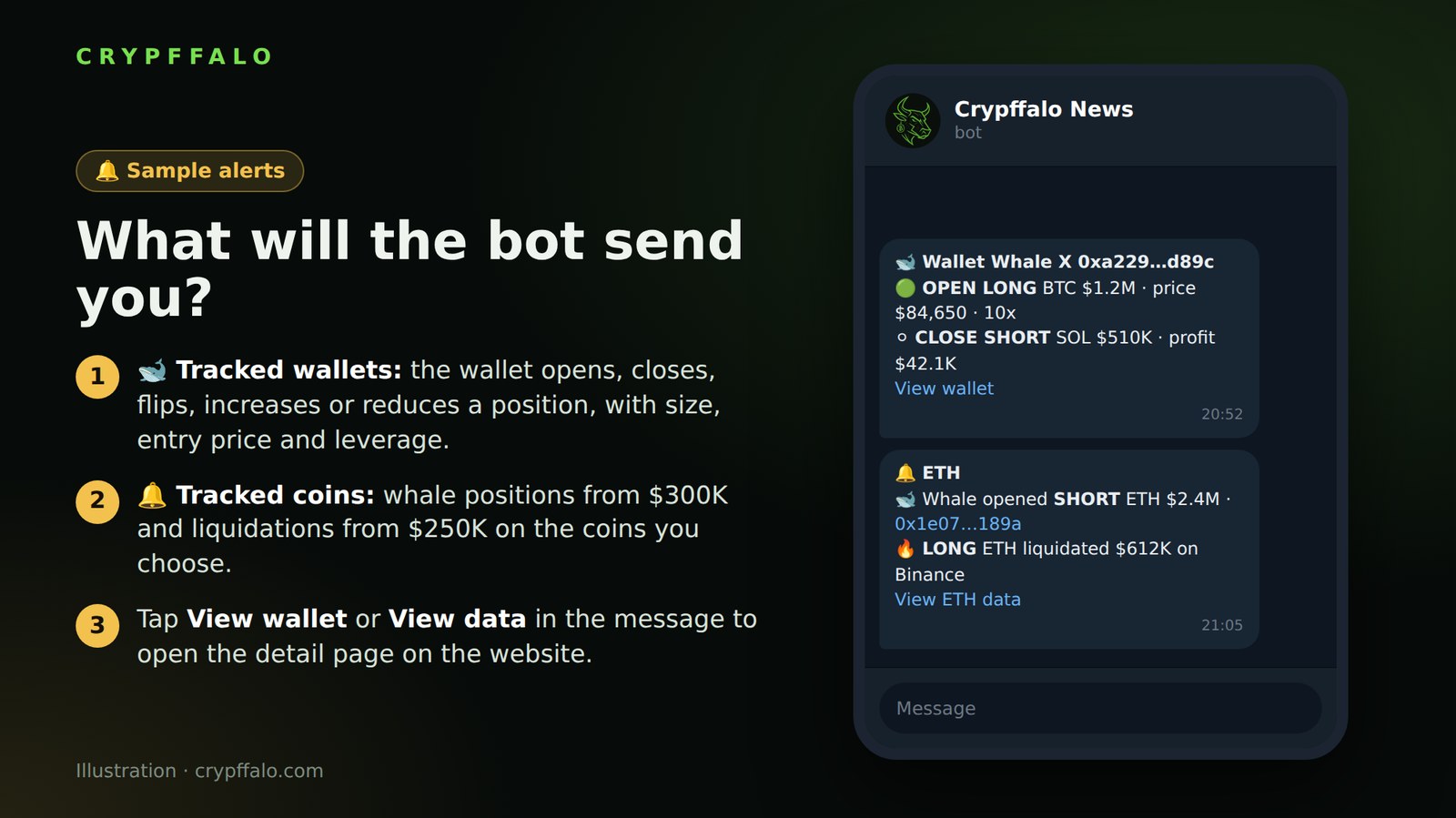
- 🐋 Tracked wallets: the wallet opens, closes, flips, increases or reduces a position, with the coin, value, entry price and leverage. Closed positions also show profit or loss.
- 🔔 Tracked coins: whales opening or closing positions of $300K or more, or liquidations of $250K or more on that coin.
- Tap View wallet or View data in the message to open the detail page on the website.
The bot checks every minute and groups multiple events into one message so it doesn't spam you.
Bot Commands
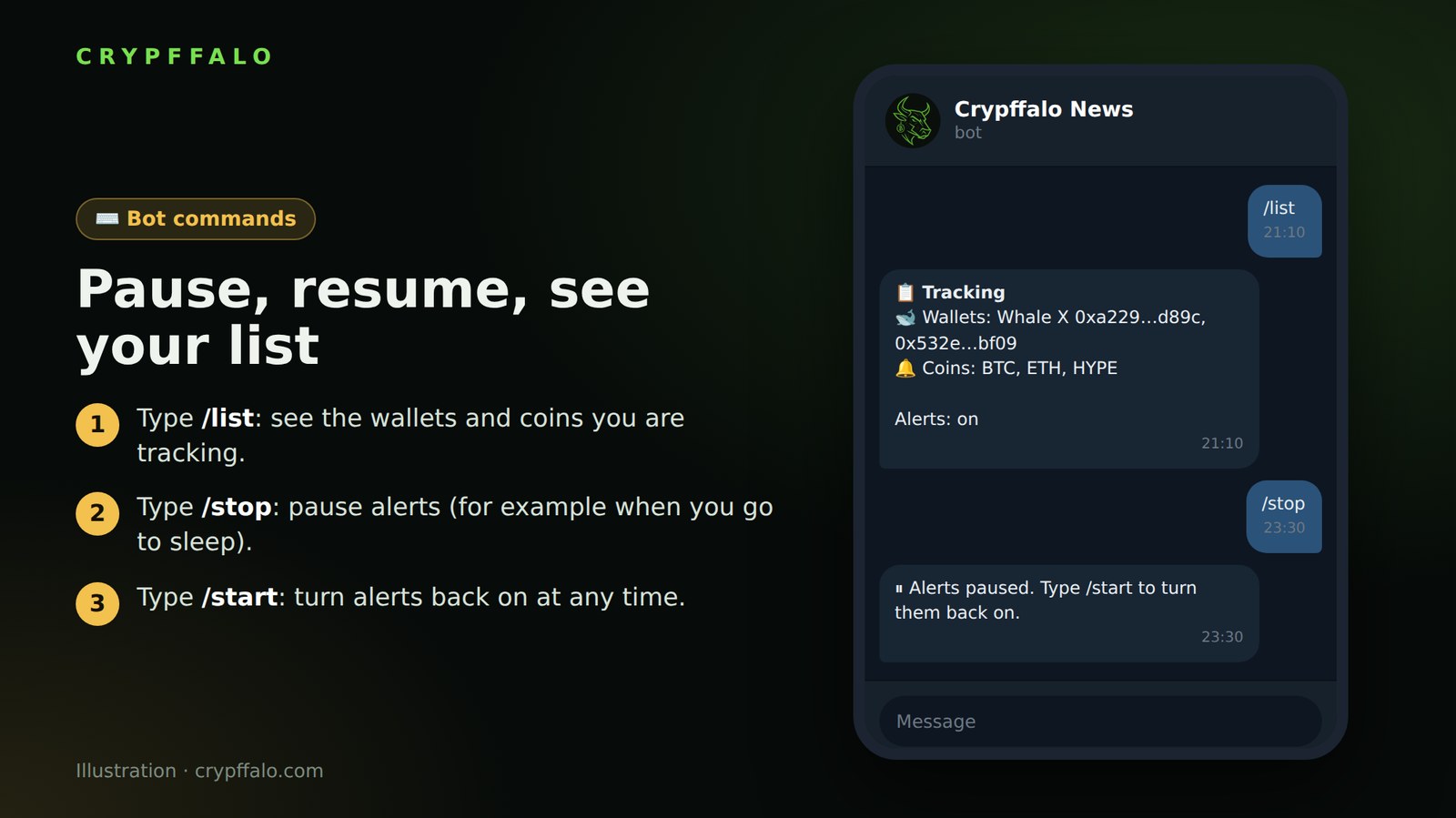
- /list: see the wallets and coins you are tracking.
- /stop: pause alerts, for example when you go to sleep.
- /start: turn alerts back on.
Not Receiving Alerts? Quick Checklist
- Have you tapped START in the bot? Click Send test message on the website to check.
- Have you saved any tracked wallets or chosen any coins? If not, the bot has nothing to report.
- Is the Receive alerts box on the website checked? Did you accidentally type /stop?
- If you blocked the bot, unblock it and click Connect Telegram again.
- Tracked wallets only trigger alerts when the wallet changes its position (opens, closes, increases, reduces), not when the price moves while the wallet stays put.
Need help? Message us on Telegram at @kimtuyen21297.
Note
Alerts only give you early notice of big money moves; they are not buy or sell signals and are not financial advice. The images in this article use sample data.
Tags: Guides, Telegram, Whale Wallets
Related articles
- What is Bitcoin dominance? How to read BTC.D to spot altcoin season (with examples)
- What Are Bollinger Bands? How to Read the Squeeze, %B and BandWidth (With Examples)
- What Is DCA? How to Dollar-Cost Average Into Bitcoin (With Examples)
- What Is MACD? How to Read Crossovers, Histogram and Divergence (With Examples)
- Reversal Candlestick Patterns: Pin Bar, Engulfing, Doji and How to Read Them in the Right Place
- Fibonacci Retracement: How to Find Entry Zones on Pullbacks, Set Stop Loss and Targets